
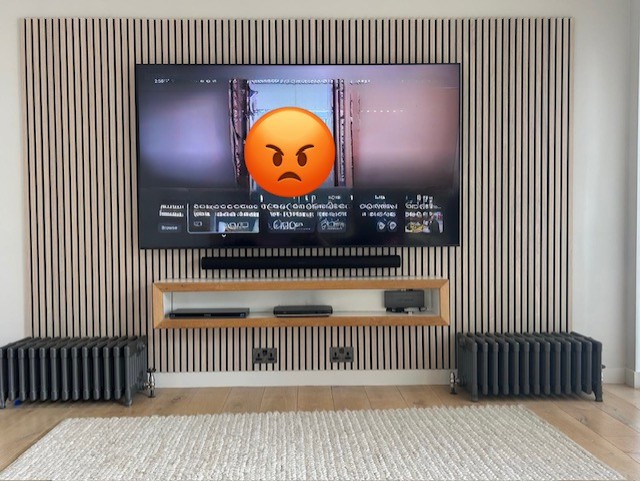

TV pixelation is caused by an incomplete or disrupted signal reaching your television. The picture breaks into visible blocks because your TV is missing data it needs to display the image correctly.
The fix depends entirely on how you receive your TV signal. Aerial, satellite, streaming, and HDMI problems each have different causes and different solutions. We’ve diagnosed pixelation faults in homes across the South West for over 60 years.
What Is TV Pixelation?
Pixelation is the blocky, frozen, or distorted picture that appears when a digital TV signal is interrupted or incomplete.
Analogue TVs used to show static when the signal was poor. Digital doesn’t work that way. A digital signal either arrives intact or it doesn’t. There’s no middle ground. When data is lost or corrupted mid-stream, your TV displays the last information it received correctly. The result is visible blocks on screen.
This is an important distinction. Pixelation is almost never a screen fault. It’s a signal fault. That changes where you look for the problem.
If the picture breaks up on some channels but not others, the signal is the issue. Should it happen at certain times of day, the signal is the issue. If every source pixelates — aerial, streaming, Blu-ray — then you may have a hardware problem. But that’s rare.
Why Is My Freeview Pixelating?
Freeview pixelation is almost always caused by weak or disrupted aerial signal. Your aerial picks up broadcast signals from a transmitter, and anything that weakens the signal between the transmitter and your TV will cause picture break-up.
Is My Aerial Damaged?
A damaged or misaligned aerial is the most common cause of Freeview pixelation. Wind, storms, and general wear shift aerials off-angle over time. Even a small movement can cause signal loss — particularly on weaker multiplexes.
If pixelation has worsened since bad weather, the aerial should be checked first. We replace or realign aerials every week across Bath and the surrounding area. In most cases, the aerial looks fine from the ground. The damage only becomes clear up close.
Could My Coaxial Cable Be the Problem?
Yes — and this is one of the most overlooked causes. The coaxial cable running from your aerial down to your TV is often decades old. Connectors corrode. Water enters at the roof point. Shielding degrades.
A damaged coax cable can cause significant signal loss while looking perfectly normal from the outside. In our experience, this accounts for roughly a third of the Freeview pixelation faults we’re called out to fix.
Does a Splitter Cause Pixelation?
It can. A passive splitter divides your aerial signal between multiple TVs. Each output receives a weaker signal. Combine that with an ageing cable run, and the TV furthest from the aerial often pixelates while the nearest one works fine.
If you’re splitting to three or more TVs, a powered distribution amplifier is a better option than a passive splitter.
Can LED Lights or Appliances Cause Pixelation?
They can. Cheap LED bulbs, electrical equipment, and some USB chargers generate electromagnetic interference. This interference disrupts Freeview signals at close range.
If pixelation started around the same time as new lighting or appliances were installed, try switching off the suspect devices one by one. The source is often a surprise — we’ve traced pixelation faults to LED fairy lights, phone chargers, and even a fish tank heater.
How Do I Fix Freeview Pixelation?
Start with the basics. Check every visible coaxial connection — at the aerial, the wall plate, and the back of the TV. Connections should be hand-tight and corrosion-free.
Most Freeview TVs and set-top boxes have a signal strength meter in the settings or installation menu. Check it. You want signal strength above 50% and signal quality above 70%. Anything below that and reception problems are likely.
If your aerial is more than 10–15 years old, replacement is often the most cost-effective fix. An outdoor aerial at height will always outperform an indoor one.
Why Is My Satellite TV Pixelating?
Satellite pixelation is most commonly caused by rain fade or dish misalignment. Your satellite dish receives signals from roughly 36,000 km above the equator, so the signal path is long and exposed.
What Is Rain Fade?
Rain fade occurs when heavy rain, thick cloud, or snow sits between your dish and the satellite. The moisture absorbs enough signal to cause pixelation or total loss. This is a known limitation of satellite TV. It’s normal, and it clears when the weather passes.
My Satellite Pixelates in Clear Weather — Why?
If pixelation happens regardless of weather, the dish has likely moved. Satellite dishes require precise alignment. A shift of just two or three degrees can drop the signal below usable levels.
Wind exposure and bracket fatigue are the usual culprits. Older installations are particularly prone to this. Realignment requires an engineer with a signal meter — the tolerances are too tight for a DIY fix.
Why Does My Streaming Picture Look Pixelated?
Streaming pixelation is caused by slow or unstable internet. Services like Netflix, iPlayer, and YouTube use adaptive bitrate streaming. When your connection slows, the app automatically lowers the picture quality to prevent buffering.
How Fast Does My Internet Need to Be?
HD streaming requires around 5 Mbps. 4K requires 25 Mbps or more. But your provider’s quoted speed is a maximum, not a guarantee. Actual speeds vary throughout the day.
Wi-Fi makes this worse. Your router might deliver 80 Mbps to a phone in the same room. The TV in a back bedroom might get 10 Mbps. Walls, floors, and distance all reduce Wi-Fi signal.
How Do I Fix Streaming Pixelation?
Run a speed test on the TV itself. Most smart TVs have this option in settings. If speeds are low, connect the TV to your router with an Ethernet cable. Wired connections are faster and far more stable than Wi-Fi.
If a cable run isn’t practical, a powerline adapter sends internet through your home’s electrical wiring. It’s a reliable middle ground.
Also check the app’s video quality settings. Many default to “auto,” which drops resolution aggressively. Setting it manually to HD or 4K can help — if your connection supports it.
Why Is My TV Pixelating From HDMI?
HDMI pixelation is typically caused by a faulty cable, a loose connection, or a resolution mismatch between the source device and the TV.
Is My HDMI Cable Faulty?
Possibly. HDMI cables carry a large amount of data. Even a slightly damaged cable or a connector that isn’t fully seated can cause intermittent picture break-up. Cheap cables are more prone to this than most people expect.
Try unplugging the cable from both ends and reconnecting firmly. If that doesn’t help, swap in a different cable. For 4K content, use a certified Ultra High Speed HDMI cable. Also try a different HDMI port on the TV — individual ports can develop faults.
Could It Be a Resolution Mismatch?
Yes. If a set-top box outputs at 1080p while the TV expects 4K, the handshake between the two devices can fail. Artefacts or pixelation appear on screen as a result.
Check the output resolution on your external device. Match it to your TV’s native resolution — usually 4K/2160p on newer sets, or 1080p on older ones.
Quick Diagnostic Table
| Symptom | Most likely cause | First fix to try |
| Some Freeview channels pixelate, others don’t | Weak signal on specific multiplexes | Check aerial alignment and coaxial connections |
| All Freeview channels pixelate | Aerial fault or cable damage | Inspect coax cable; check signal strength in TV menu |
| Pixelation only in heavy rain | Satellite rain fade | Normal — wait for weather to clear |
| Satellite pixelates in all weather | Dish misalignment | Book an engineer for dish realignment |
| Streaming apps look blurry or blocky | Slow internet or weak Wi-Fi | Speed test; try wired Ethernet |
| One device pixelates, others don’t | HDMI cable or resolution mismatch | Swap HDMI cable; check output settings |
| Pixelation started after new lights installed | Electrical interference (EMI) | Switch off new devices one by one to isolate |
When Should You Call a Professional?
Most pixelation problems can be traced to cables, connections, or signal strength. You can check all of those yourself. But some jobs need an engineer.
Call a professional if:
- Your aerial needs replacing or realigning at height. Roof work isn’t a safe DIY job.
- Your satellite dish needs realignment. This requires specialist metering equipment.
- You’ve checked all accessible cables and connections and the problem persists.
- Multiple sources pixelate at the same time. That can indicate a deeper fault.
- Your coaxial cabling runs through walls or the loft and may need replacing.
Our aerial and installation teams work across Bath and the South West. We carry signal testing equipment, stock replacement aerials and cabling, and our engineers have been diagnosing reception problems since before the digital switchover. If you’ve worked through the steps above and the picture still isn’t right, call us on 01225 331441 or visit the shop at St James’s Parade in Bath.


